Logging and Diagnostics
When something doesn’t work as expected, a clear picture of what happened can help the team find the cause. Disco ICT gives administrators a live view of system events and tools to export logs for a closer look.
Follow activity as it happens
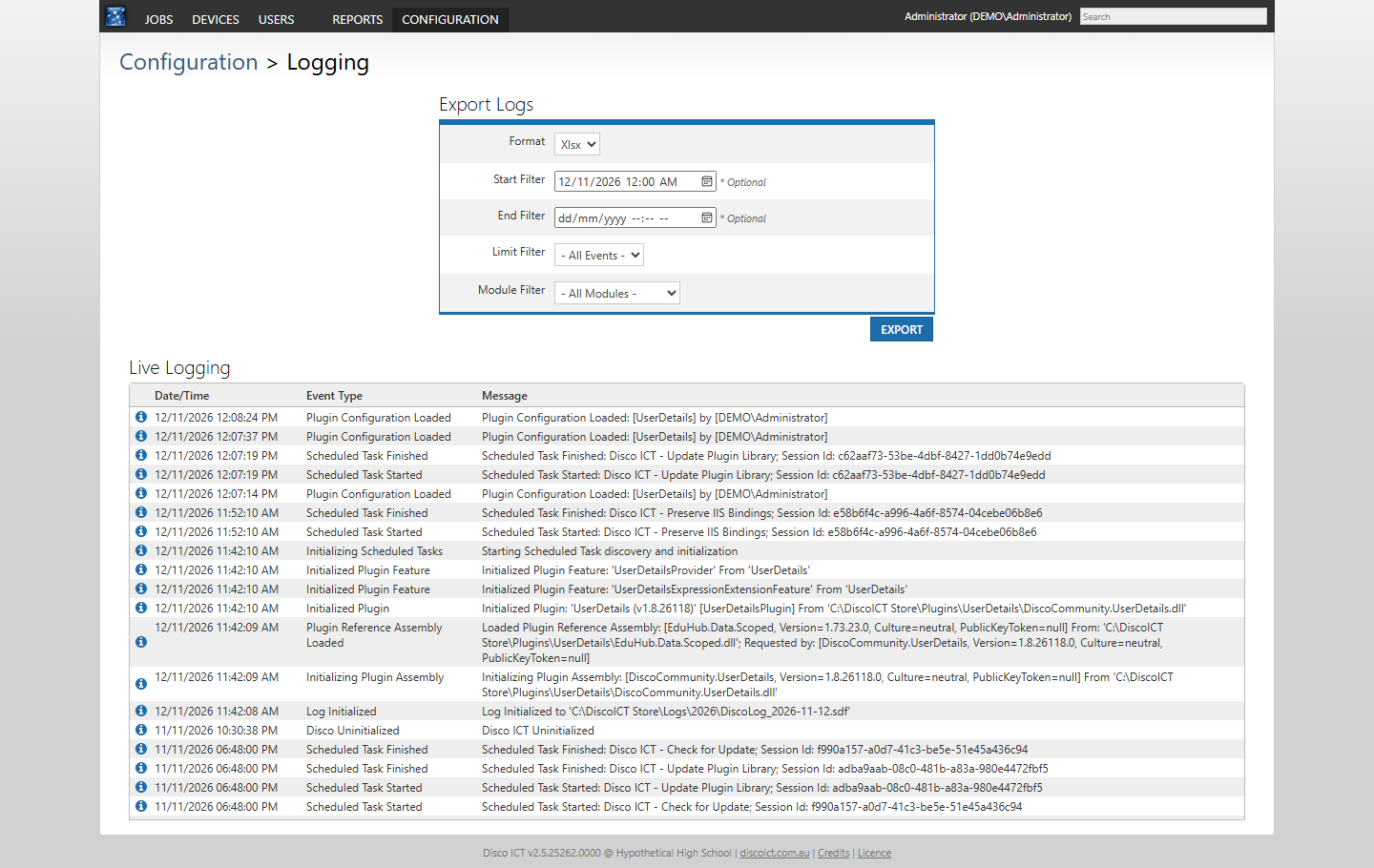
The Live Logging view shows event times, types and messages together. For example, an administrator investigating a document import can look for import events, while plugin and scheduled-task events can provide context for other problems. Technical detail in the messages helps an experienced administrator or support contact investigate further.
Focus and share an investigation
Export logs as an Excel workbook or CSV, with optional start and end times, an event limit and a module filter. Modules include device enrolment, documents, plugins, scheduled tasks and authorisation, so an administrator can narrow the export to the relevant area rather than work through an entire log.
Logs can contain technical details and information about users or systems. Review them and share them only with people authorised to help with the investigation.