Plugins
Every IT team works a little differently. Plugins extend Disco ICT with capabilities and connections you can choose to suit your organisation, without making every team use the same tools.
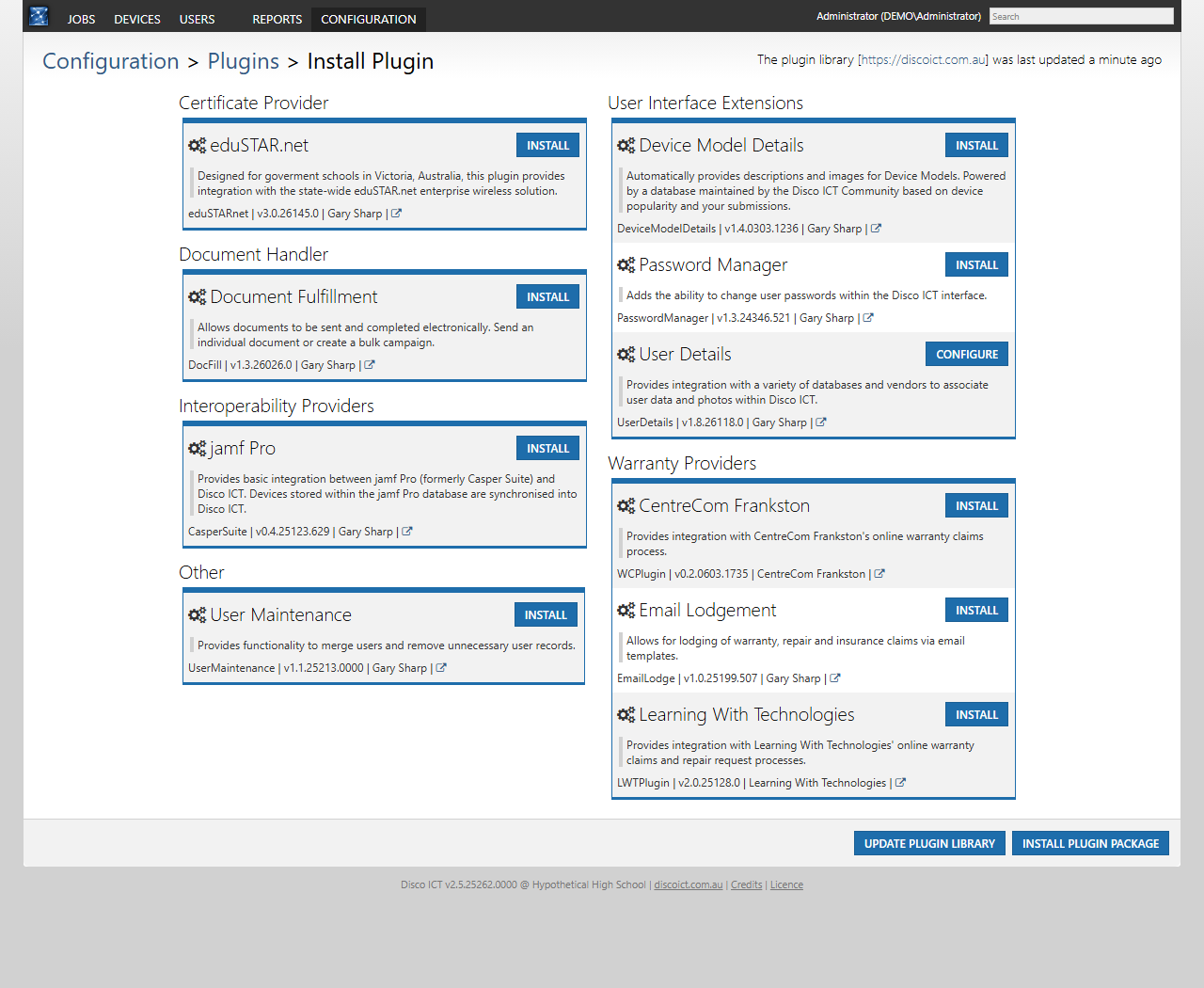
Browse the plugin library to discover integrations for repair claims, documents, device information, user details and more. Each entry describes its purpose and whether it is available to install or already installed.
Connect with repair providers
When a device needs a repair, the right integration can help your team connect its support process with the provider handling the work. The library includes:
- Learning With Technologies for its online warranty claims and repair request processes.
- CentreCom Frankston for its online warranty claims process.
- Email Lodgement for lodging warranty, repair and insurance claims using email templates.
For example, a technician managing a warranty job can use an appropriate provider plugin as part of the claims process, rather than treating the provider’s system as entirely separate from Disco ICT. The available workflow depends on the plugin and the provider’s requirements.
Bring useful information together
- jamf Pro synchronises devices from a jamf Pro database into Disco ICT, helping teams bring device information from another management system into their support environment.
- Device Model Details supplies model descriptions and images from a community-maintained database, making device records easier to recognise.
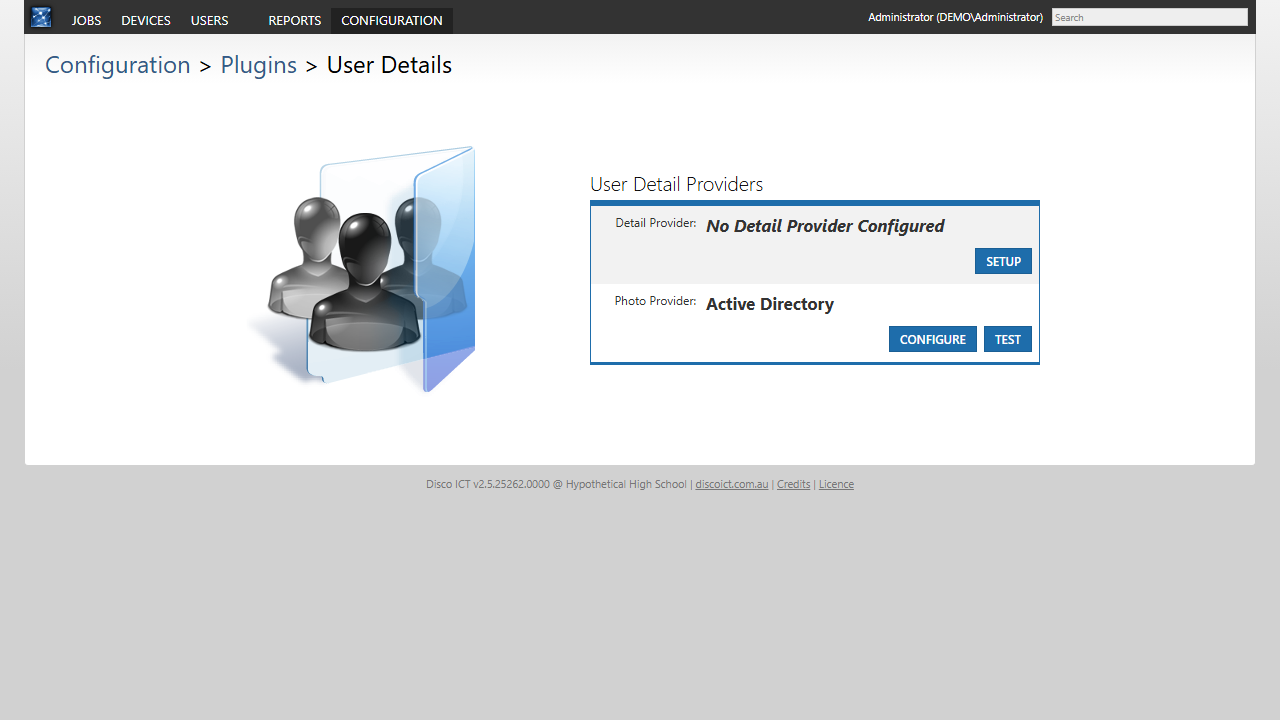
- User Details connects user data and photos from a choice of sources. The demo has this plugin installed, with Active Directory selected as its photo provider; no detail provider is configured. Available detail sources include custom SQL, eduHub, Microsoft Access and uploaded CSV files.
- Password Manager adds the ability to change user passwords within the Disco ICT interface.
- User Maintenance provides tools to merge users and remove unnecessary user records.
Extend everyday workflows
Document Fulfillment allows documents to be sent and completed electronically, either individually or through a bulk campaign. This can make collecting forms less dependent on paper handling.
For Victorian government schools, eduSTAR.net integrates with the state-wide enterprise wireless solution.
Choose what fits
Administrators can explore the library under Configuration > Plugins, install the plugins they need and configure installed plugins. A plugin package can also be installed from the same area. Integrations may require provider accounts, compatible systems or additional configuration; choose and check the options that fit your environment before using them.