A Non-Warranty Repair
Not every hardware fault is covered by warranty. A damaged power adapter, for example, might need a replacement, a purchase order or an insurance conversation before the device can be returned. Disco ICT gives the team a shared record of the practical work and the information around it.
1. Record the problem
Find the device or its user, choose Create Job, and select Hardware - Non-Warranty with the appropriate sub-types. Add a description and record whether the device is held. The job connects the device and user with the technician’s notes, so the next person can understand what is needed.
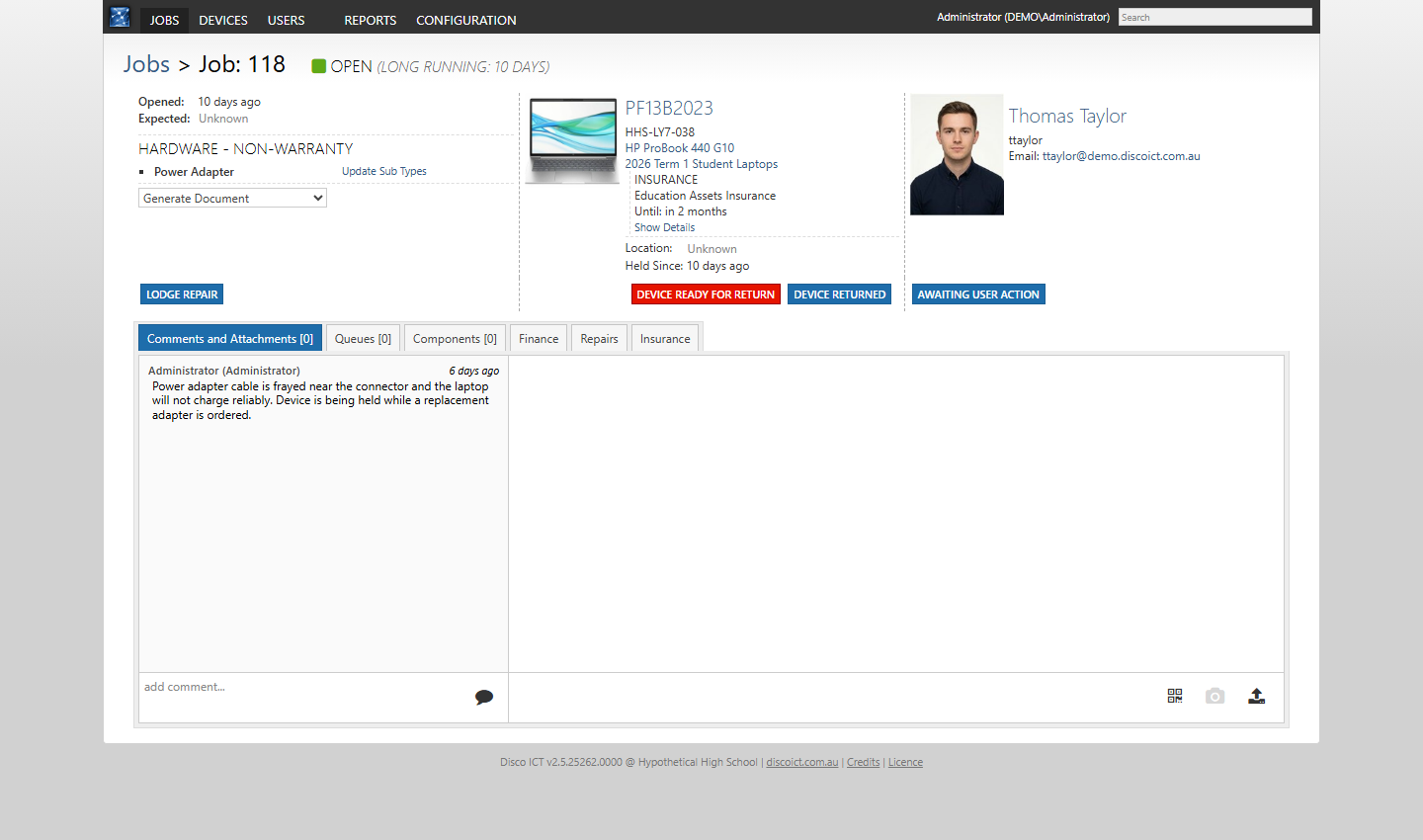
Use comments and attachments to keep evidence such as photos, quotes and correspondence with the job. Where suitable templates have been configured, the Generate Document menu can also produce job-related paperwork.
2. Bring the details together
The job has separate tabs for Components, Finance, Repairs and Insurance. Use the areas relevant to the situation: components to record the parts involved, finance to track items such as charges, purchase orders and invoices, and insurance to record a claim where required. This gives technicians and managers a clearer picture of what remains outstanding without relying on a separate trail of notes.
3. Arrange the repair
Choose Lodge Repair and enter a repair description, address and provider details. The manual option records a request made outside Disco ICT, including the provider’s reference.
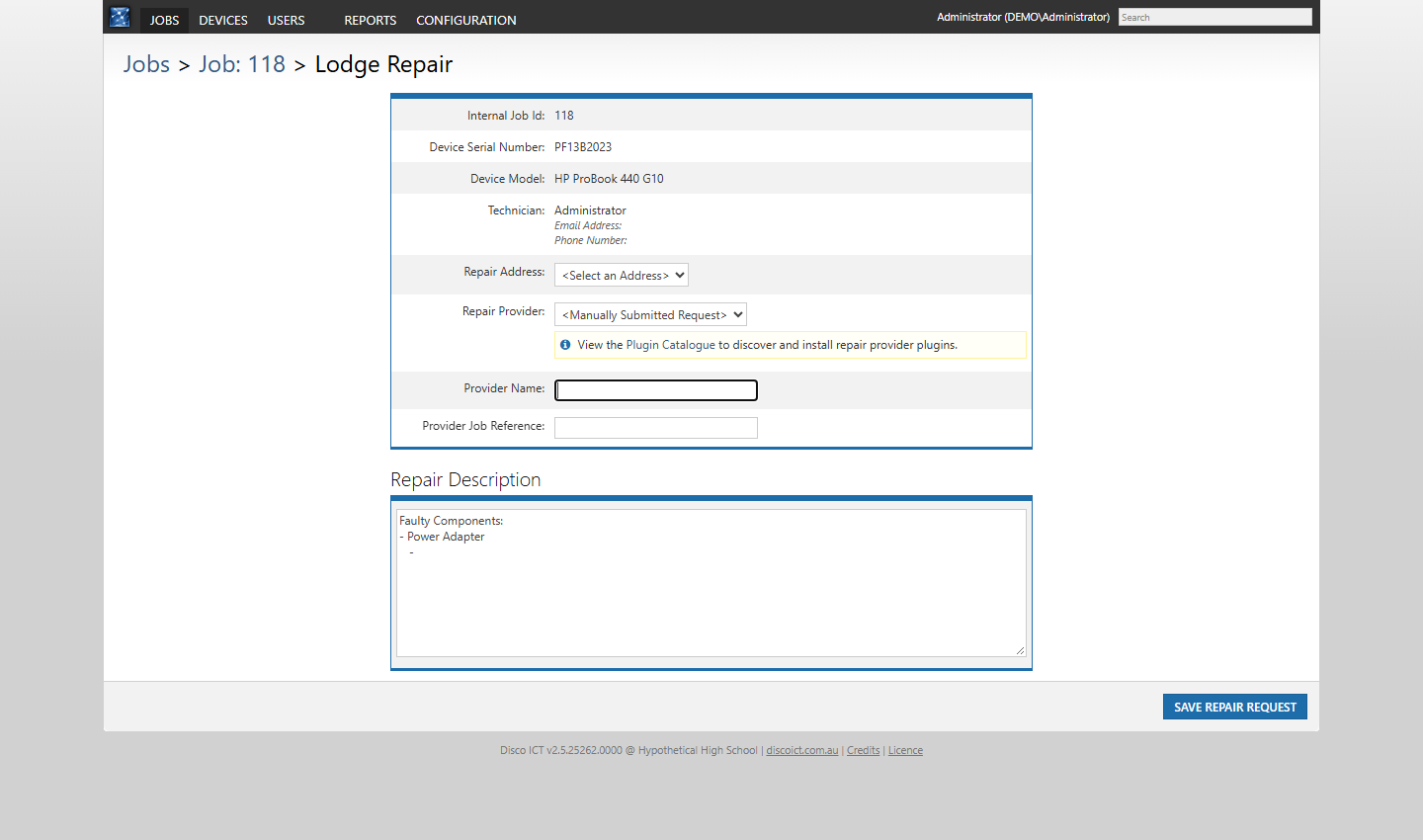
Alternatively, a suitable installed and configured provider plugin can support an integrated workflow. For example, the plugin catalogue describes Learning With Technologies integration for repair requests and Email Lodgement for template-based warranty, repair and insurance claims. The available options and submission steps depend on your configuration and provider arrangements; integrated lodgement can contact a third party or send an email.
4. Finish and return
Update the job as the repair progresses and record when the repair is complete. Once any remaining checks are finished, mark the device Ready for Return, record its return when collected and close the job in line with your organisation’s process. The result is a useful history of both the repair and the decisions around it.