Device Management
From a student’s laptop to a shared desktop, each device has a story. Disco ICT brings the details together so technicians can identify equipment, understand its history and get to work with the context they need.
A practical record for every device
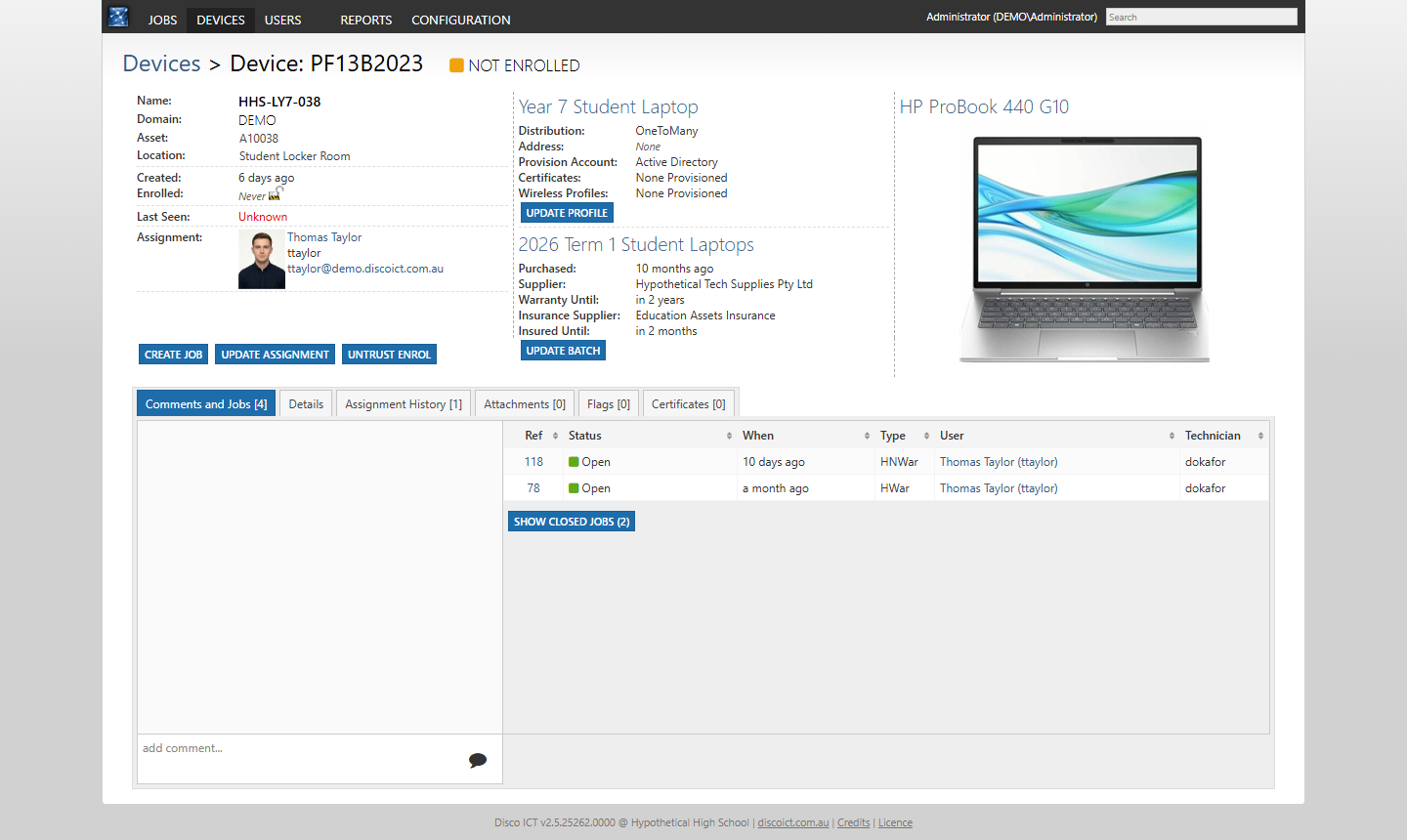
Find a device by searching Disco ICT, then see its serial number, asset number, location, model, enrolment status and assigned user. The device record links to its profile and batch, and brings together comments, open and closed jobs, assignment history, attachments, flags and certificates.
When someone brings a laptop to the service desk, a technician can check who it belongs to and review previous work before creating a new job. As devices move between people, assignment history helps the team understand where they have been.
Configure devices by purpose
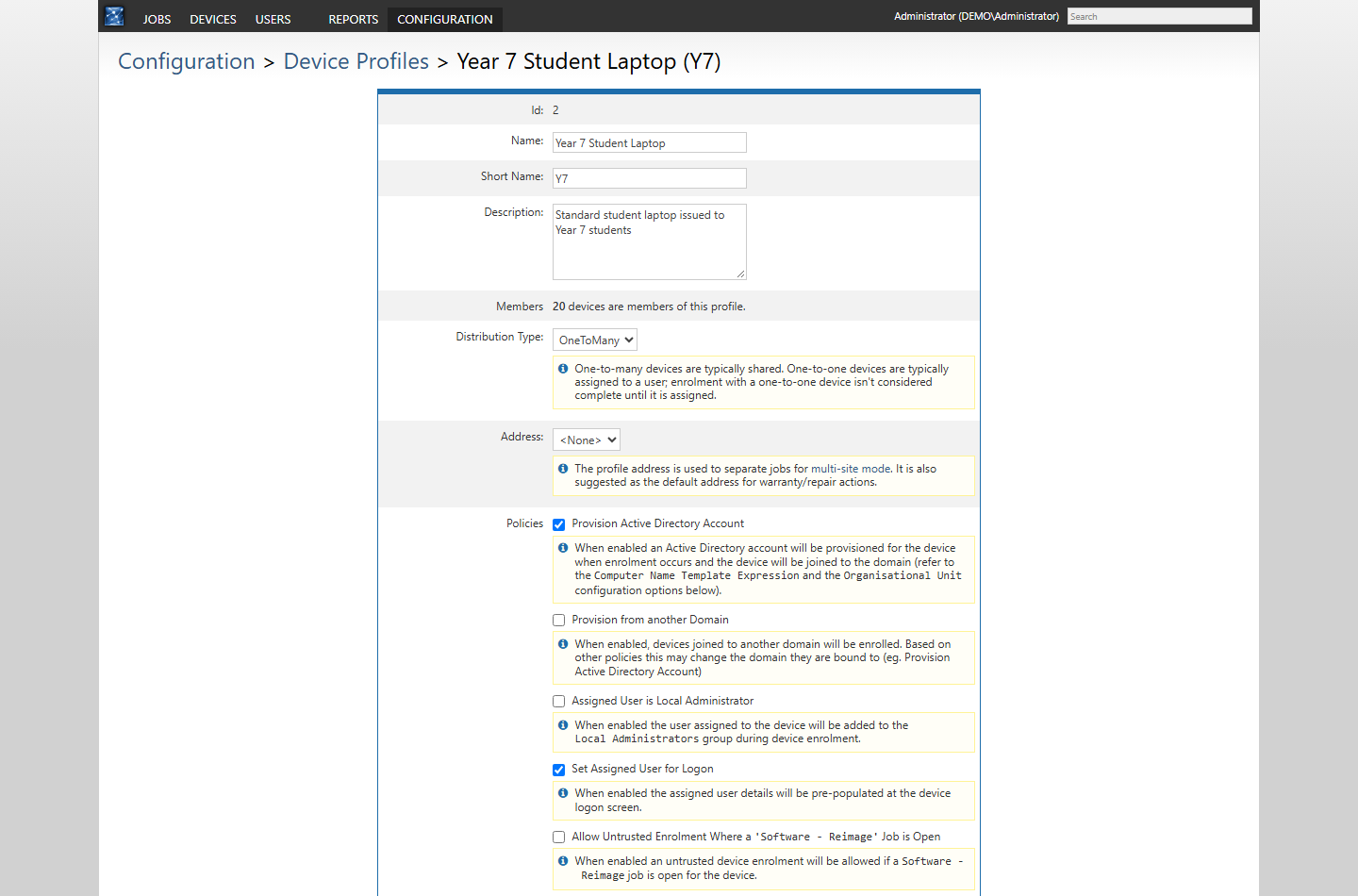
A device profile groups devices by how they are used, such as a student laptop, staff device or shared computer. Profiles can distinguish one-to-one and shared devices and set policies for enrolment. Depending on your configuration, these can include provisioning an Active Directory computer account, applying a naming convention and organisational unit, setting the assigned user at logon, or granting that user local administrator access.
Certificate and wireless profile provider plugins can extend enrolment where required. These options are configurable, not automatic for every device: choose policies that suit your environment and security requirements.
See the bigger picture with batches
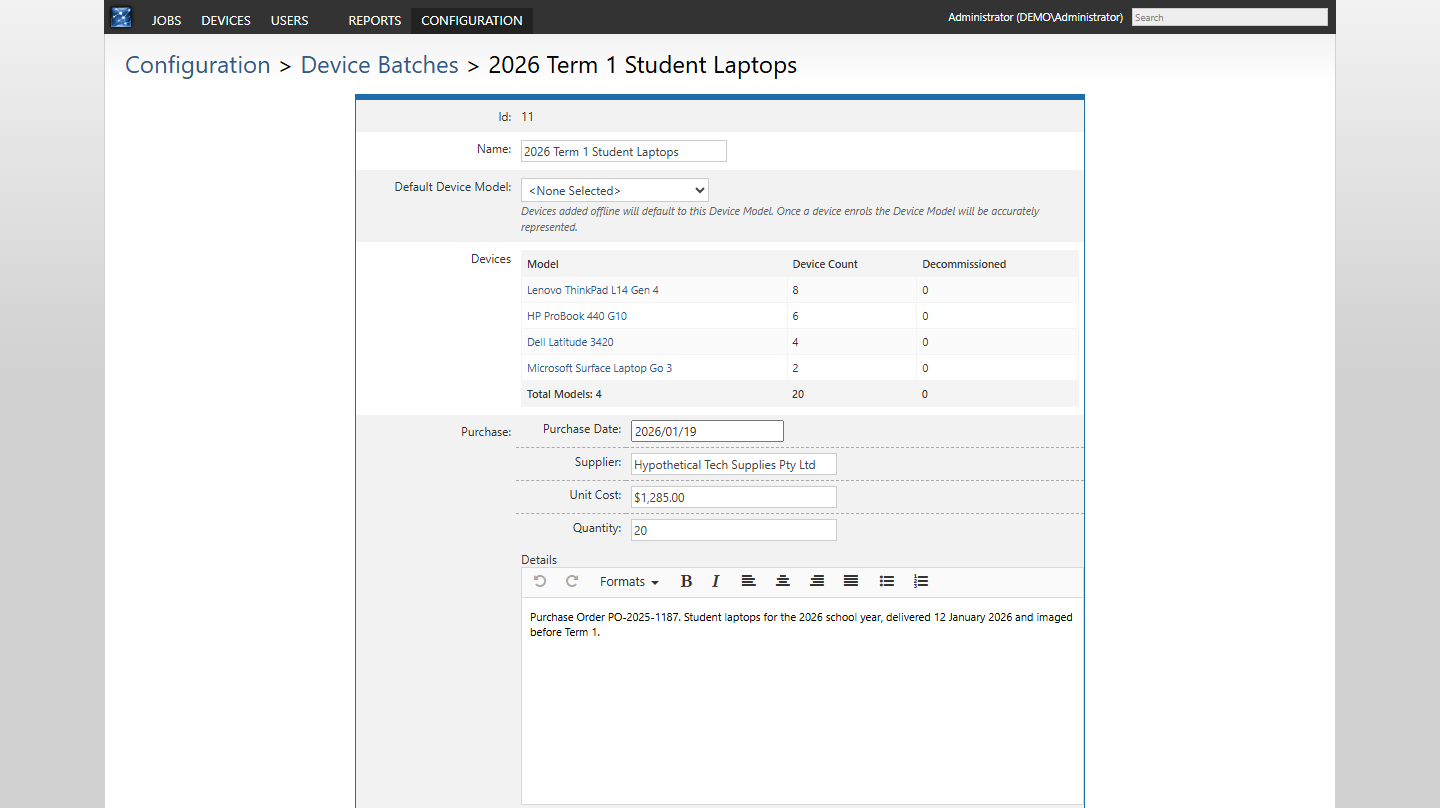
Device batches group equipment for lifecycle management. Record purchasing, warranty and insurance details alongside the devices in a batch, and see a breakdown by model and decommissioned status. This gives service staff useful context when a device needs attention and helps managers plan replacements.
Devices can be added offline individually or imported from a CSV or Excel file, making it easier to prepare records before a rollout. See Rolling Out New ICT Devices for an example.