Document Management
Repair quotes, incident statements and user agreements are part of delivering IT support, but preparing and filing them needn’t slow the team down. Disco ICT turns reusable PDF templates into documents populated with the information already held against a job, device or user.
Prepare paperwork with context
An administrator creates a PDF form and adds expressions to its fields. When a technician generates the document, Disco ICT evaluates those expressions using the current record: a repair quote, for example, can include the job number, device and repair costs. The result is consistent paperwork without repeatedly copying details between systems.
Templates can be limited to relevant job types or made available only when a filter expression is satisfied. Administrators can inspect the fields found in a template and use the Expression Browser to discover the information available in each scope.
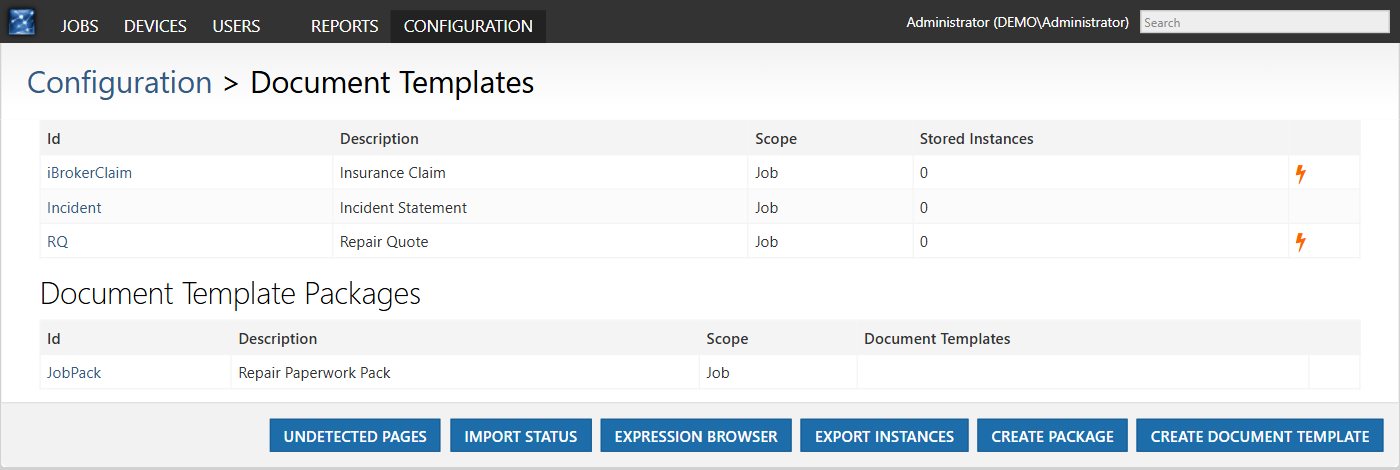
Generate one document or a whole pack
Technicians can generate an appropriate document from the job, device or user they are working on. A package brings multiple templates together in one PDF, useful when a repair requires both a quote and an incident statement. Bulk generation can produce documents for a list of records, such as user agreements for a device rollout.
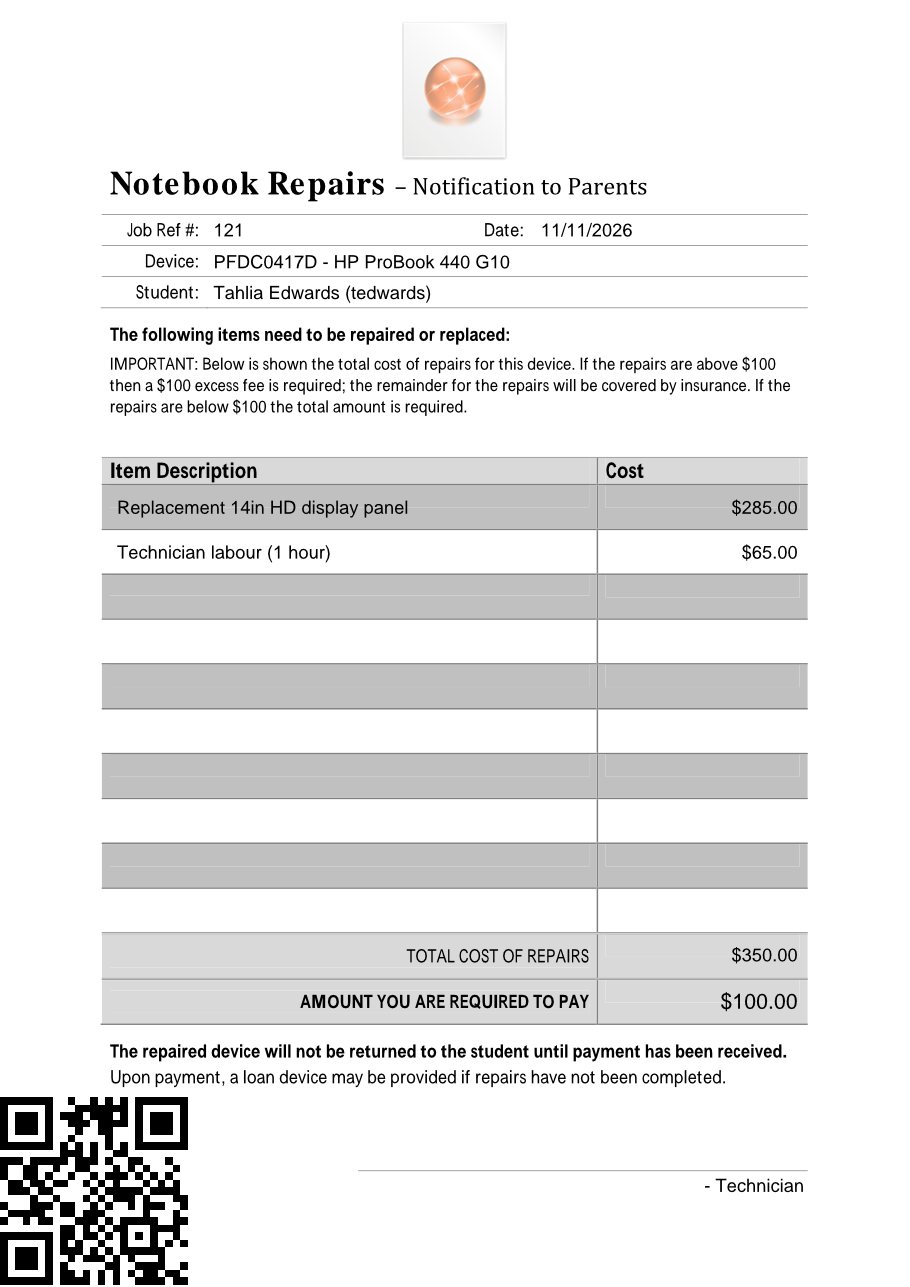
Bring signed paperwork back
When a template includes the Disco ICT QR-code field, a completed or signed document can be scanned to the document dropbox. Disco ICT reads the code and files recognised pages against the associated record; it can also separate a batch containing different documents. The import status and undetected pages views help staff follow up pages that need manual attention.
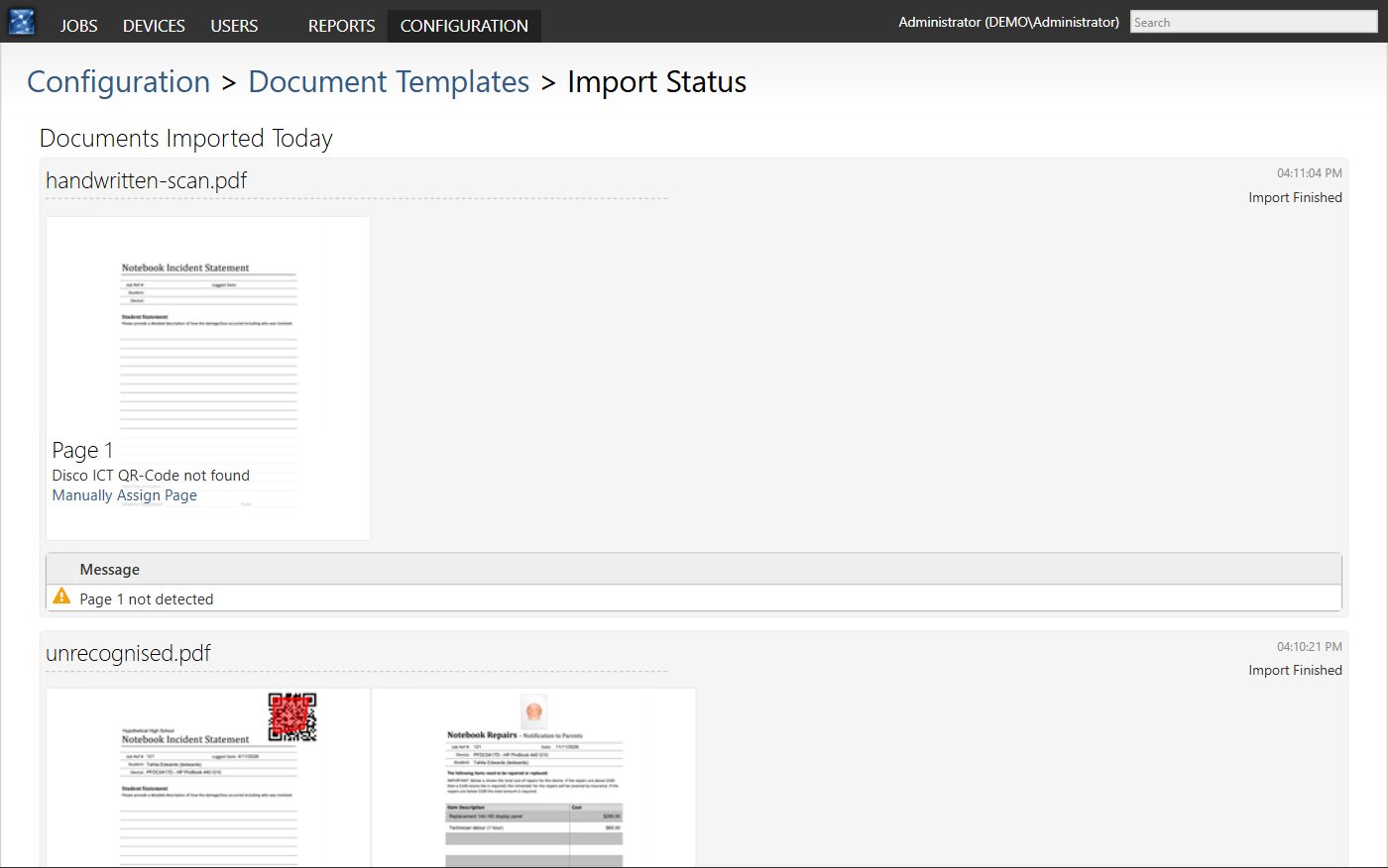
For administrators who want to set up templates, packages and scanning, see Getting Started with Document Templates.