User Management
Good support starts with understanding the person as well as the problem. Disco ICT connects user information from Active Directory with the devices and support history your team works with every day.
See the whole support picture
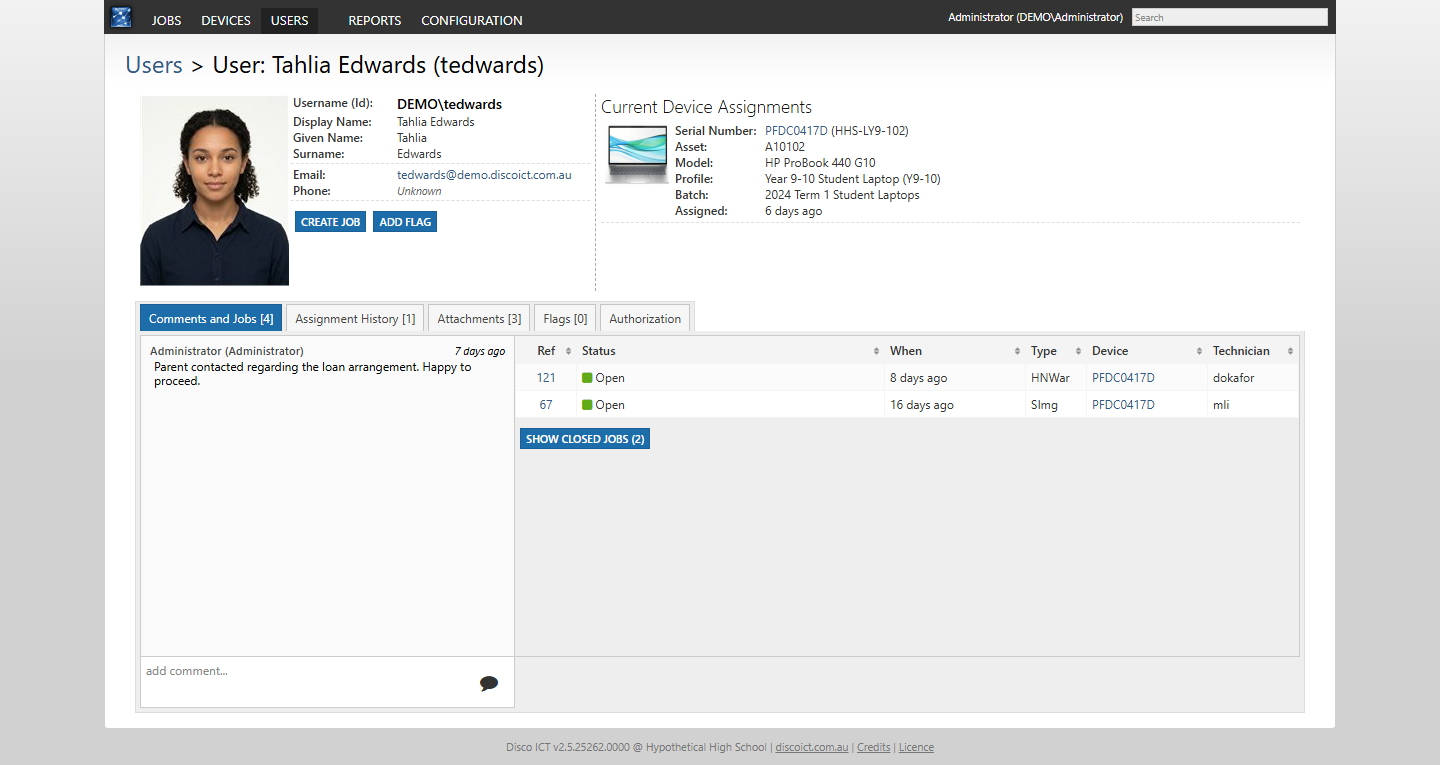
Search for a user to find their contact details and current device assignments. Each assignment shows the device’s serial and asset numbers, model, profile and batch, with a link to the device record. A technician can move from the person to the equipment without piecing the relationship together from separate lists.
Keep context close at hand
The user record brings together comments and related jobs, including access to closed jobs. Assignment history provides context when devices change hands, while attachments can keep relevant documents, such as a signed loan agreement, alongside the person they concern.
Configurable user flags can highlight information for the team, and the authorization view shows a user’s access context. Together, these details help technicians pick up a conversation with less repetition and give managers a clearer record of the service provided.
Start a job from a user’s record to carry the person and, where applicable, their assigned device into the support workflow. Learn more about Job Management and Device Management.